One-Boat Network
- 2.5
- Rating
- 100.00K
- Installs
- Free
- Price

 Analysis by App-foxy
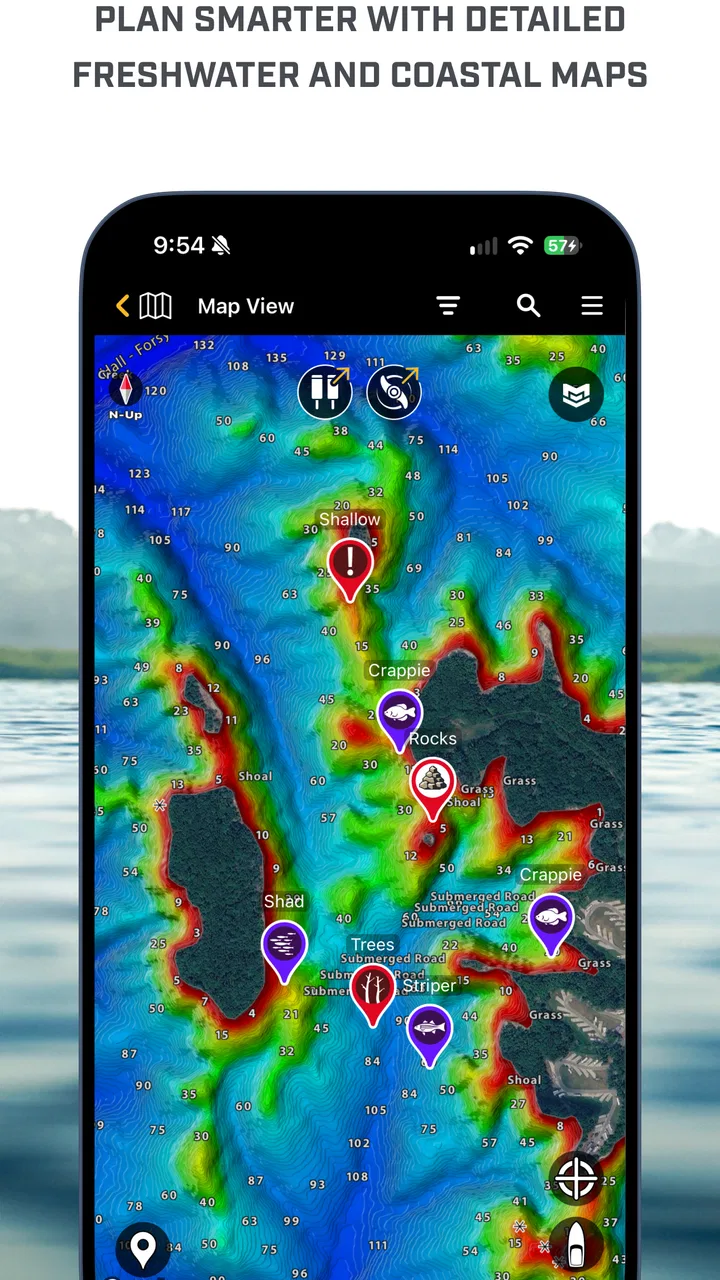
I approached One-Boat Network as a practical companion for anglers who use Humminbird and Minn Kota equipment, rather than as a general-purpose sports app. Its purpose is quite specific: to bring parts of that fishing setup together on a mobile device. That narrow focus is both its main appeal and the first thing to consider before installing it. If your boat already relies on compatible Johnson Outdoors equipment, the app has a clear reason to exist. If you simply want fishing forecasts, a catch log, or a map for unfamiliar waters, it is probably not the tool I would choose first.
The app is free to install, carries an Everyone age rating, and comes from Johnson Outdoors. It has passed the threshold of over one hundred thousand installs, so it is not an obscure experiment, but its average rating of 2.5 from roughly two hundred ratings suggests a mixed ownership experience. I would not treat that score as a complete verdict, because equipment combinations, phone models, connection conditions, and expectations can vary widely. Still, it is a useful warning: this is an app where compatibility and setup matter more than they would in a simple standalone fishing utility.
What the app is really for on the water
The store summary describes it as the Humminbird and Minn Kota app, while the short description uses the phrase One-Boat Network. In everyday terms, I see it as a bridge between a supported boat setup and the angler holding a phone. Its value is greatest when the app helps me avoid moving back and forth between separate equipment-related tasks. Instead of treating the electronics at the console, the trolling motor, and the phone as unrelated pieces, the One-Boat idea aims to make them feel like parts of one arrangement.
You May Also Like

 Blood Strike: 2.5 Anniversary
Blood Strike’s Loadouts Turn Every Drop Into a Tactical Gamble
A close look at Blood Strike’s custom loadouts: how fast access to signature weapons reshapes its battle royale rhythm, rewards preparation, and narrows the gap between fights.

 Pandora - Music & Podcasts
Pandora’s Music Is Easy to Start, but Harder to Recover
Pandora’s strength is its low-effort path from a seed to a station. Its weak spot is how much confidence it asks you to place in connection, setup, and quiet recovery.

 8 Ball Pool
 Is Built on Rivalries, Rematches, and Routine
A close look at the rivalries, rematches, shared routines, and unanswered safety questions that turn a quick pool match into a persistent mobile community.

 Samsung Music
’s Quiet Strength Is Playing What You Already Own
Its reach comes less from spectacle than from dependable access to a personal library. That simplicity is both the app’s strongest retention engine and its ceiling.

 AccuWeather: Weather Radar
AccuWeather Review: A Quick, Clear Forecast for Everyday Decisions
For everyday plans, the best forecast is the one you can understand quickly. AccuWeather makes rain timing, radar, and local conditions easy to act on, with a few trade-offs.

 Hill Climb Racing
Why Hill Climb Racing Still Turns Crashes Into One More Run
A tiny car, a bumpy hill and one more upgrade: Hill Climb Racing keeps resurfacing because its simple chaos makes every near-miss feel personal.
More From Our News Desk



That distinction matters. This is not an app I would install casually just because I enjoy fishing. It makes more sense for someone who has already invested in Humminbird or Minn Kota hardware and wants a mobile layer around that equipment. The app’s category is Sports, but its usefulness is closer to a companion utility than to an entertainment product. I would compare it with manufacturer-specific companion apps, not with broad fishing platforms that concentrate on forecasts, social catches, or general navigation.
In a realistic outing, I can imagine using the app before launching to confirm that my phone and boat equipment are ready, then checking it again when I need a mobile view of the connected setup. That workflow is more valuable than opening it at home with no compatible equipment nearby. The important habit is to prepare before leaving the dock. A phone connection that works in the driveway is easier to troubleshoot there than with a boat loaded, weather changing, and other anglers waiting.
One practical insight is to think of the app as part of a system, not as a replacement for the system’s dedicated controls. I would keep the physical controls and onboard displays as my primary tools while fishing, using the phone where it adds convenience. A phone is more vulnerable to glare, low battery, water, and accidental touches than equipment designed for a boat. That trade-off is easy to overlook when an app promises a more connected experience.
Setup deserves more attention than the store summary suggests
The current version is 5.080, and the minimum operating-system requirement is Android 7.1. Those details make the app accessible to many older Android devices, but compatibility with the operating system is not the same as compatibility with every Humminbird or Minn Kota product. Before depending on it for a trip, I would identify the exact equipment involved and check that the phone, app version, and onboard devices are intended to work together.
I would also install and test it while connected to a reliable network, with the phone charged and the boat equipment available. This is not just cautious housekeeping. A companion app can appear perfectly fine until it has to discover hardware, maintain a connection, or handle a real operating environment. Testing the full sequence at home gives me time to update the app, review access prompts, and remove unnecessary phone restrictions before I am standing at the launch ramp.
Another useful workflow is to make one change at a time. If a connection fails, I would avoid simultaneously changing phone settings, restarting several devices, and reinstalling the app. Starting with the app open, the relevant equipment powered, and the phone close by makes it easier to identify where the problem sits. That approach is particularly important for a specialized app because a failure may come from the equipment relationship rather than from the app screen itself.
The free download lowers the barrier to trying it, but the presence of in-app purchases priced at $24.99 per item means I would review any purchase screen carefully before confirming anything. I would want to know exactly what an item unlocks or provides, whether it is relevant to my equipment, and whether the purchase is necessary for the task I actually intend to perform. A free installation should not be confused with an entirely cost-free experience.
Trust starts with visible controls, not the brand name
Because this app can sit close to boating equipment, I pay attention to trust in a practical way. I want to see clear permission prompts, understandable account choices, and a straightforward way to control anything the app asks me to share. I would not assume that a familiar developer automatically makes every data practice comfortable. My confidence would come from what the app visibly explains and lets me manage.
During installation and first use, I would read each permission request instead of approving everything quickly. If a permission is needed for a connection or a specific function, I would expect the app to explain that at the moment it asks. If a request appears unrelated to the task, I would pause and decide whether declining it affects only an optional feature or prevents the app from working altogether. That distinction is more useful than simply labeling an app as safe or unsafe.
I would take the same approach with account creation. If the app offers a choice between using it with an account and continuing without one, I would select the least demanding option that still supports my equipment. If an account is required for a particular function, I would look for the information it requests and whether there are visible controls for changing or deleting the account later. Those are ordinary user choices, but they make a major difference when an app becomes part of a long-term equipment setup.
There is also a boating-specific privacy moment that deserves attention. A connected fishing setup may involve location-related information, equipment identifiers, trip details, or other context that a user may consider sensitive. I would avoid sharing more than needed, especially on a phone used by several people or on a device that also contains personal accounts. I would review system-level location and nearby-device controls, and I would turn them off when I no longer need the related function, provided doing so does not interfere with a planned outing.
Where data sensitivity becomes practical
Fishing locations can be personal even when they are not treated like formal secrets. A productive spot, a private lake, or a familiar route may be information I do not want broadly exposed. For that reason, I would be careful about screenshots, shared phones, cloud backups, and any social or export action presented inside the app. I would also avoid granting access to contacts, photos, or other unrelated areas unless a feature clearly requires it and I genuinely want to use that feature.
My preferred routine would be to set up the app with the minimum access needed, use it for the equipment task at hand, and then review active permissions afterward. On Android, the system settings provide a useful second layer of control. They let me see what access an app has and change it later, rather than treating the first installation decision as permanent. That is a simple but important form of user agency.
I would be especially cautious when using a shared tablet on a boat. A device left in the console can be seen by passengers, borrowed by another angler, or exposed to someone who should not have access to account details. A separate fishing profile, a screen lock, and avoiding saved payment information on the shared device can reduce that risk. These steps are not unique to One-Boat Network, but they are particularly sensible when the app is tied to expensive equipment and recurring trips.
Battery and connectivity are also part of trust, even though they are not privacy settings. If I rely on a phone as another point of access to my equipment, I need to know what happens when the phone loses power or the connection drops. I would never make the app my only way to operate the boat. Keeping the normal onboard controls available means a phone problem remains an inconvenience instead of becoming a safety concern.
Who will get the most from it
The strongest audience is an angler who already owns compatible Humminbird and Minn Kota equipment and wants a more unified way to interact with that setup. For that person, the app can reduce the mental friction of handling separate manufacturer tools. It may also be useful to someone who regularly fishes from the same boat and is willing to spend time learning the relationship between the phone, the app, and the onboard equipment.
I can also see value for a boat owner who shares fishing duties with a partner or family member. A carefully prepared phone can make it easier to hand over a connected view without asking another person to learn every control immediately. However, I would create separate expectations: the app can support the outing, but it should not replace a basic explanation of the boat’s physical controls, emergency procedures, or equipment limitations.
The app is less suitable for a casual angler with no Humminbird or Minn Kota hardware. In that situation, the manufacturer-specific focus becomes a limitation rather than a benefit. A general fishing app would likely offer more immediate value through weather, maps, regulations, trip planning, or catch records. Likewise, someone who wants a simple, low-maintenance experience may find the setup and troubleshooting effort disproportionate to the benefit.
I would also hesitate to recommend it as the main choice for someone who changes boats frequently or fishes with many different equipment brands. The One-Boat concept is strongest inside its own ecosystem. A platform-neutral alternative may be less polished for one manufacturer’s hardware, but it can be more flexible when the boat, phone, or electronics change.
How it compares with ordinary fishing alternatives
Compared with a weather or fishing-forecast app, One-Boat Network is narrower and more equipment-centered. A forecast app answers questions such as whether I should fish today, while this app is relevant after I have already decided to go and have the right boat setup. Compared with a catch journal, it is not primarily about recording memories or building a personal history. Compared with a navigation tool, its usefulness depends more on the connected Humminbird and Minn Kota environment than on being a universal map for every angler.
That specialization can be a strength. A general app may present many unrelated features, while a manufacturer companion can keep attention on the equipment I actually use. The weakness is that the benefit falls sharply outside that equipment ecosystem. I would not install it expecting a complete digital fishing toolkit. I would install it only when its relationship with my boat solves a specific problem.
There is also a difference between convenience and control. A phone-based interface can be easier to view or carry than standing at one console, but it introduces another device, another connection, and another set of permissions. If my usual alternative is simply using the dedicated controls already on the boat, the app must save meaningful time or provide a useful view to justify the additional complexity. For some owners it will; for others, the physical setup may remain faster.
My cautious verdict after weighing the trade-offs
I see One-Boat Network as a specialized free app with a sensible role for the right angler, but not as an automatic recommendation for everyone who fishes. Its strongest argument is ecosystem convenience: Humminbird and Minn Kota owners can explore a more connected relationship between their mobile device and boat equipment. Its weaker side is the dependence on compatible hardware, careful setup, reliable connections, and sensible permission choices.
The mixed average rating should encourage patience rather than instant dismissal. I would test the app well before an important trip, confirm that it works with my particular setup, and keep the boat’s normal controls ready. I would also treat every permission, account prompt, and purchase screen as a decision point instead of accepting defaults without reading them. Those habits protect both my time on the water and my control over the information on my phone.
For me, the deciding question is simple: do I already use supported Humminbird or Minn Kota equipment, and do I have a clear task that a mobile companion can make easier? If the answer is yes, the free installation makes a careful trial reasonable. If the answer is no, I would spend my time with a broader fishing app that serves the outing directly. My recommendation is conditional: useful for an established One-Boat setup, but not a substitute for compatible equipment, physical controls, or thoughtful privacy choices.
Johnson Outdoors has positioned this as a focused sports companion rather than a universal angling service. That focus is exactly why it can be worthwhile and exactly why it can disappoint the wrong user. I would judge it by the complete experience on my own boat: clear choices, dependable connection, sensible handling of data, and a real improvement over the controls I already have. If it meets those standards, it earns a place on my phone; if not, a simpler or more platform-neutral alternative is the better choice.
FAQs for One-Boat Network
01What is One-Boat Network, and what can I use it for?
One-Boat Network is a boating-focused mobile application designed to work with compatible marine equipment and services. Depending on the supported device and setup, it can help boat owners monitor information, manage connected functions, review system status, and access useful boating data from a smartphone or tablet. The exact features available may vary according to the boat, engine, hardware, region, and account configuration.
02Is One-Boat Network compatible with my boat and mobile device?
Compatibility is one of the most important points to check before downloading One-Boat Network. The app is generally intended for supported marine systems and connected equipment rather than every boat or engine. Before installation, verify the requirements listed by the developer, including supported engine or control-system models, iOS or Android version, Bluetooth or internet needs, and any required accessories. Some features may only appear after compatible hardware is connected.
03Does One-Boat Network require an account, internet connection, or Bluetooth?
The connection requirements depend on the feature you want to use and the equipment installed on your boat. Some functions may require creating or signing in to an account, while local communication with onboard hardware can rely on Bluetooth, Wi-Fi, or another supported connection. Internet access may be necessary for registration, synchronization, updates, remote information, or online services. Check permissions carefully and make sure your phone remains connected when using live features.
04Is One-Boat Network free to download and use?
One-Boat Network may be available to download without an upfront charge, but downloading the app does not necessarily mean that every feature is free. Certain functions can depend on compatible marine hardware, a registered service, a subscription, dealer activation, or additional equipment. Mobile data charges may also apply when the app communicates online. Review the current store listing and service terms before relying on the application for boating activities.
05Is One-Boat Network safe to use while operating a boat?
One-Boat Network can be useful as a companion tool, but it should not replace proper lookout procedures, navigation equipment, safety equipment, or the boat manufacturer’s instructions. Using a phone while steering may distract the operator, especially in changing weather or busy waterways. Set up the app before departure, keep alerts understandable, and use it only when safe. Always follow local boating regulations and treat displayed information as supplementary rather than infallible.
Pros
- Connects compatible boats
- devices
- and services in one network.
- Helps centralize onboard data for easier monitoring and management.
- Useful for checking connected equipment from a mobile device.
- Can improve awareness of boat systems while away from the helm.
- Designed for boat owners who want a more integrated digital setup.
Cons
- Requires compatible One-Boat Network hardware and supported equipment.
- Some features may depend on an active internet or cellular connection.
- Setup can be technical for users unfamiliar with marine electronics.
- Performance may vary depending on onboard signal strength and connectivity.
- The app offers limited value if your boat lacks compatible network devices.

One-Boat Network
Gallery